
Tinkering with games is as good as playing them
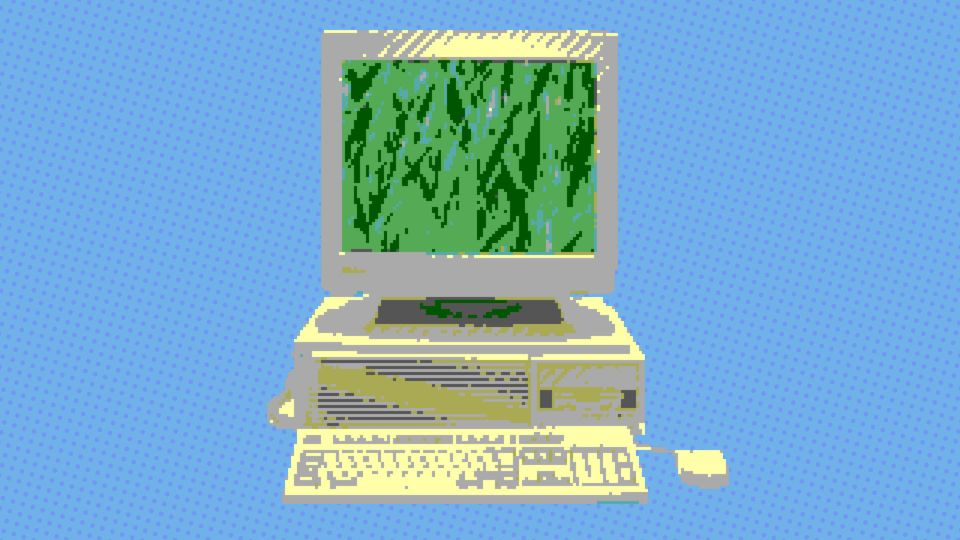
Our first home computer was an Amstrad CPC 464. My Dad bought it and used it for, among other things, building a database of all the films he had recorded on VHS tapes. He's a Western buff and he'd spend weekends pecking in details of which tape had which film, and since multiple tapes had multiple films, how far you had to fast forward to find the one you wanted. I didn't understand this at the time, as I was only a few years old. My brothers and I used the Amstrad for playing games - or for trying, anyway, and then for learning patience when the cassette tape failed to load for the third time. Why would you want to spend your time with the computer updating a database when you could be playing games?
Now I know better. Now I know that videogames are just one avenue through which you can tinker with the computer.
In retrospect, my tinkering started early, when I realised that drawing Worms levels in DeluxePaint on the Amiga and then importing the bitmaps in-game was more fun than playing Worms itself. When we got a PC in the mid-90s, playing games and tinkering were practically the same thing, given the reliance on the MS-DOS command line and the need to edit .bat and .ini files to change settings or get a game to recognise our Soundblaster.
I have carried this practice with me as the years advanced, through first-person shooter console commands, Half-Life level making in Worldcraft, and in-game photography in Grand Theft Auto 4. Some of these are creative, but I don't think the output of levels or screenshots was ever as important to me as the process. I spent hours poring over messageboards, learning how these games worked, and gradually testing settings, mods and third-party tools until I could do it - after which I'd typically lose interest and move onto other things.
I'm defining tinkering broadly here as anything that involves reaching beneath your computer's glossy façade. The machine, which may be in front of you right now, is pretending that it is a tool of simple productivity, an obelisk of user-friendly efficiency. It is not. Your computer is 8000 rats in a burlap sack. To tinker is to reach inside the bag, remove a rat, and make friends with it.
If you've ever spent several weeks trying to build the perfect collection of Skyrim mods only to then not follow through with playing the game, you might be a tinkerer, too. Perhaps you've spent several hours curating your Steam Wishlist, sorting your library into categories, and selecting the perfect bootup video for your Steam Deck, and now you still spend more time browsing your game collection than actually playing it. Don't feel bad! You, too, are a tinkerer.
Last year, I ordered a Retroid Pocket 6, one of a near-endless (until recent RAM shortages) parade of handheld devices designed to emulate the sweep of videogame history. This particular device can play anything from ZX-Spectrum games all the way through PlayStation 2 and beyond. It is miraculous, enabling access to countless classics in a device that fits in my pocket, with a long battery life and an OLED screen.
I almost never play games on it and I knew I wouldn't when I bought it. I bought it to tinker with. The Retroid Pocket 6 comes with its own game launcher, but no emulators or ROMs installed (for obvious legal reasons). The fun of using the device is therefore almost entirely in the setup of it, and all the ways that it can, as an Android machine, be customised. You get to select what launcher to use, what emulators, what games to place on it, and then how those games should look in the interface, from icons to background images to metadata to menu music.
All of these decisions can be made in isolation, but you're probably going to want to spend some time watching YouTube videos that explain the features and benefits of the different tools, and comparing and contrasting the different choices. You might want to spend some time reading Reddit or other messageboards. Probably there's a Discord community you can join where people debate the best options, in between being extraordinarily helpful in getting others set up for the first time and complaining about all the crappy final mile delivery companies that keep losing their devices.
I have spent my career working with videogames, but they are just one way in which I spend time on the computer. A few years ago I cancelled my subscriptions to Netflix, Disney+ and Amazon Prime, because I never watched anything on any of them. I replaced all three with a Plex home media server, a self-curated library, and a suite of hand-selected tools I've spent countless hours installing and maintaining. Do I now watch more TV and films? No, I watch exactly as much as I did before: nothing. But I've had a tremendous amount of fun at every step.
PC gaming remains my preferred mode of tinkering, because the options are bottomless. The Retroid Pocket isn't only a good console emulation device, but good for playing Windows games under Android via apps like GameNative. I already have a Steam Deck and a couple of other devices with Steam Link installed, but the light, Vita-style form factor of the Pocket 6 is just perfect for a certain kind of game, played while lying on my side on the couch. More importantly, it's another avenue of tinkering. So is VR, where I've spent more time tinkering with setups, layouts and software across several different headsets than I have playing actual VR games, which I mostly don't like.
There has been a lot of discussion in recent years about what we lose when we choose convenience over friction. We have sacrificed a personal relationship with music, television and film to the ease and scale of online streaming libraries. Microsoft are desperate to similarly depersonalise every other aspect of computing, whether through Game Pass or the ways Windows claims to know best.
I'm more optimistic about the future of computing than some, but still it can feel as if the computer wants to repel, obstruct, even replace me. And the internet is where the computers gang up together to bully us all. Tinkering is one antidote to these problems, even if it means more friction in the short term. Tinkering makes my computer mine, makes it a pal, and connects me to all the many computer hobbyists like me. I promise I still go outside and touch grass, but to tinker is to touch the grass inside the machine.
I have friends who paint Warhammer minifigures, friends who crochet hats and scarves, and I have Jonty, who I suspect spends at least as much time tinkering with the problems of his various cars than he does driving them. Each of these activities is optionally a doorway to community, a way for them to unwind, and something to do with their hands while they watch television or chat with friends. Playing videogames can be the same thing, without being about relentless consumption or tedious discourse. You can just spend time with games and with your computer in the way my dad spent time with Westerns through that Amstrad database. (He has a Plex media server of his own now.) You can just tinker.




Comments ()